External Identity Providers
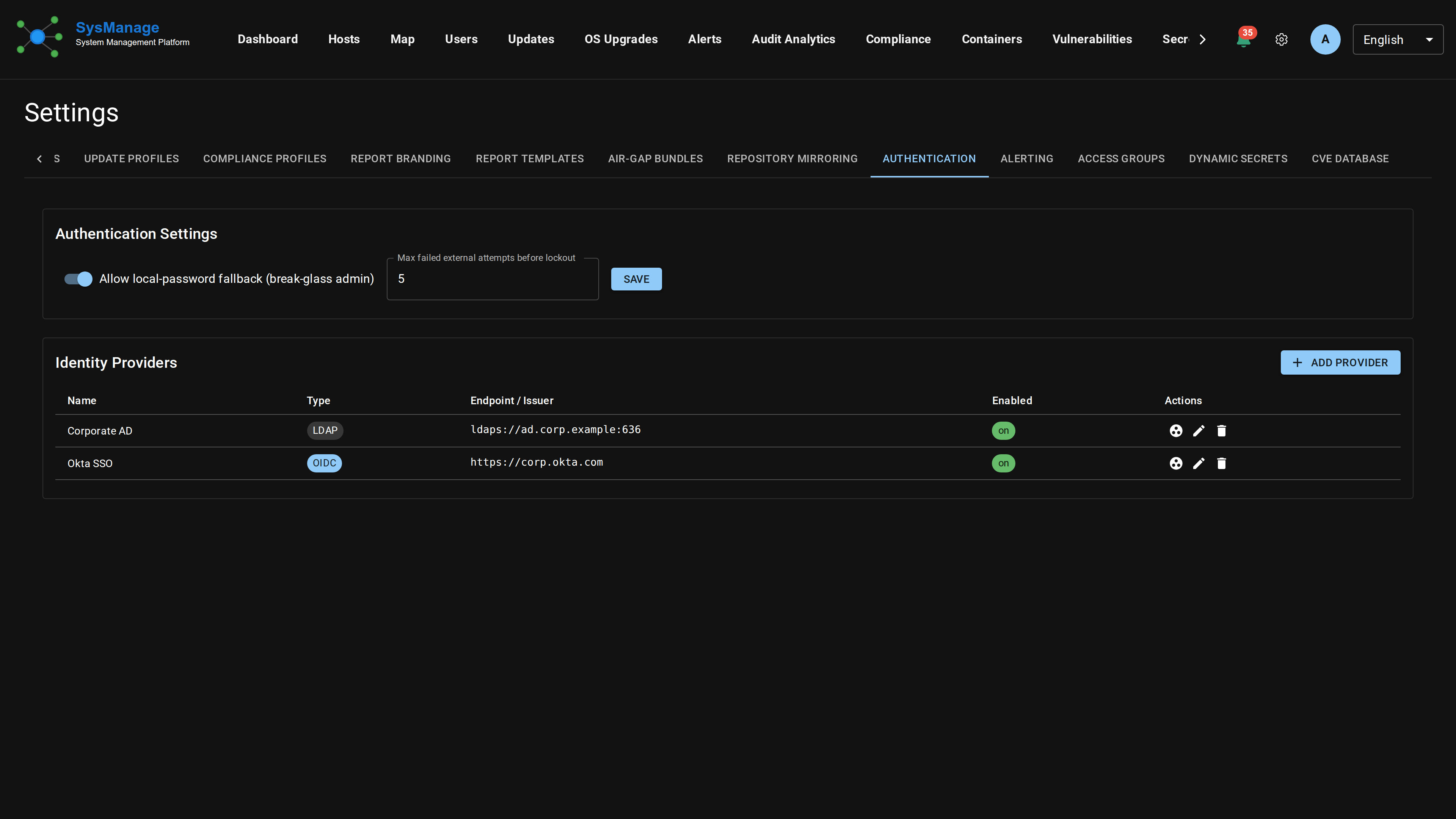
Sign in to SysManage using your existing LDAP/Active Directory or OIDC identity provider. External group membership maps to sysmanage roles automatically; a break-glass local-password fallback keeps you in the door if the directory is unreachable.
Overview
The external_idp_engine Pro+ module performs the actual authentication — an LDAP bind+search for AD/LDAP providers, or an OIDC authorization-code exchange. The OSS server holds the configuration tables, the Settings UI, and the routes that 402 without the engine loaded; the engine is stateless and never touches the database directly.
LDAP / Active Directory
For each LDAP provider, configure:
ldap_server_url— typicallyldaps://ad.example.com:636. Plainldap://is supported but logged as a warning.ldap_bind_dn+ldap_bind_password_secret_id— service account used for the user-search bind. The plaintext password lives only in Vault; the server unseals it before passing to the engine.ldap_user_search_base+ldap_user_search_filter— where to look up the user. The filter must contain%sfor the username, e.g.(sAMAccountName=%s)for AD or(uid=%s)for OpenLDAP.ldap_group_search_base+ldap_group_search_filter— optional. When set, the engine queries the user's group memberships after a successful bind; matchedcnvalues are passed to the role-mapping step.ldap_tls_ca_bundle_path+ldap_connection_timeout— TLS verification bundle and connection timeout (default 10 s).
Authentication flow: the engine binds as the service account, searches for the user, then binds as the user with the supplied password to verify it. RFC 4515 filter-injection escapes are applied to every interpolated value.
OIDC
For each OIDC provider, configure:
oidc_issuer_url— the IdP's HTTPS root, e.g.https://login.example.com.oidc_client_id+oidc_client_secret_secret_id— the application registered with the IdP. The client secret is Vault-stored.oidc_redirect_uri— the URL the IdP bounces the browser to after the user signs in. Typicallyhttps://your-sysmanage.example.com/api/auth/oidc/{provider_id}/callback.oidc_scopes— space-separated, defaultopenid profile email. Addgroups(or your IdP's group claim scope) when you want role mapping.oidc_discovery_url— optional override for the well-known discovery doc. Defaults to{issuer}/.well-known/openid-configuration.oidc_group_claim— name of the ID-token claim that lists the user's groups (defaultgroups; some IdPs userolesor a custom name).
The login UI redirects the browser to /api/auth/oidc/{provider_id}/start, which 302s to the IdP's authorization endpoint with a CSRF-protecting state token. After the user signs in, the IdP returns to /api/auth/oidc/{provider_id}/callback?code=…&state=… and the engine exchanges the code for an ID token. The sub claim is matched against the user's external_subject column to locate the local account.
External Group → sysmanage Role Mapping
Each provider has a per-row mapping table that translates external group identifiers into sysmanage SecurityRole names. Rules:
- If any of the user's external groups matches an entry's
external_group, the entry contributes itsrole_name. Multiple matches are unioned. - If no entries match AND a mapping has
default_for_unmapped=true, that entry's role is granted as a catch-all (e.g. read-only viewer for anyone who authenticates successfully but isn't in a privileged group). - The result is deduped before being applied to the user's role set. Roles already granted locally aren't touched — only the names that overlap with the mapping output get reconciled.
Linking sysmanage Accounts to External Identities
Existing sysmanage user rows pick up two new columns that link them to a directory:
external_idp_provider_id— FK to the provider row.NULLfor local-only accounts (the default).external_subject— IdP-side stable identifier. For LDAP this is the user's full DN; for OIDC it's thesubclaim. Used to re-link if the userid changes.
OIDC users must have a sysmanage row provisioned before their first sign-in (the callback rejects unknown subjects with 403); LDAP users authenticate via the password form and follow the existing user-creation flow.
Local-Account Fallback
When the singleton external_idp_settings row has local_account_fallback=true and the engine declines (LDAP server unreachable, password rejected, etc.), the login flow falls through to local Argon2 verification. This is the break-glass admin path — the local password row stays usable even after a user is linked to an external IdP. Setting it to false hard-locks accounts to their external directory.
API Reference
Every route below returns 402 without external_idp_engine loaded.
GET /api/idp-providers— list providersPOST /api/idp-providers— create a providerGET /api/idp-providers/{id}/PUT/DELETE— CRUD on a single providerGET / POST /api/idp-providers/{id}/role-mappings— role mappings for the providerDELETE /api/idp-providers/{id}/role-mappings/{mapping_id}— remove a mappingGET / PUT /api/settings/idp— cross-provider settingsGET /api/auth/oidc/{provider_id}/start— anonymous; redirects browser to IdPGET /api/auth/oidc/{provider_id}/callback— anonymous; exchanges code, returns session JWT